Collaborate with agents using marimo pair
Give your agent CLIs (such as Claude Code, Codex, and OpenCode) full access to running marimo notebooks with the marimo pair agent skill.
marimo pair is the recommended way to collaborate on marimo notebooks with agents. It lets your agent read variables, test logic in a scratchpad, run cells, add and remove cells, and even manipulate UI elements.
Quickstart
Install the skill with:
Then pair on your first notebook by pasting the following in your agent CLI:
Sandbox with molab
You can also connect to marimo notebooks running on molab. This gives you a free sandbox for your agent and also makes it easy to share your work afterwards.
To connect an agent, start a notebook on molab and open the actions panel in the upper right corner. From this menu you need to click "Pair with an agent".
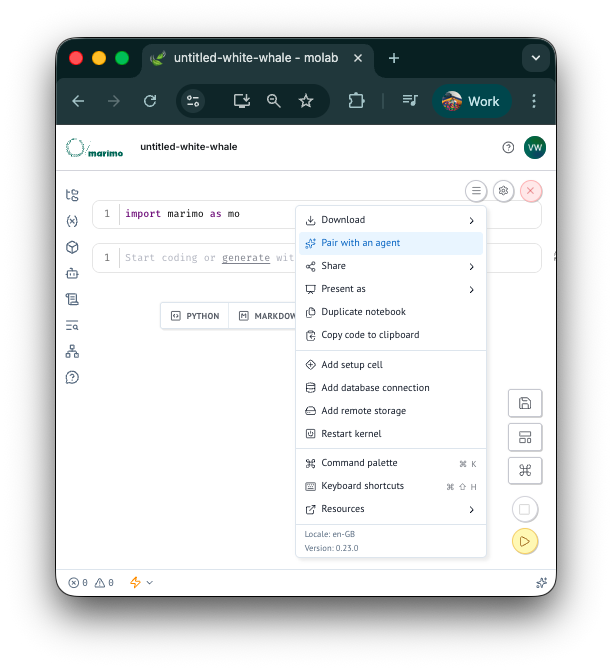
This will open up a menu with all the instructions to connect your local agent. You can then use your agent from the terminal as normal, but all the Python code would be written into the notebook in the molab sandbox.